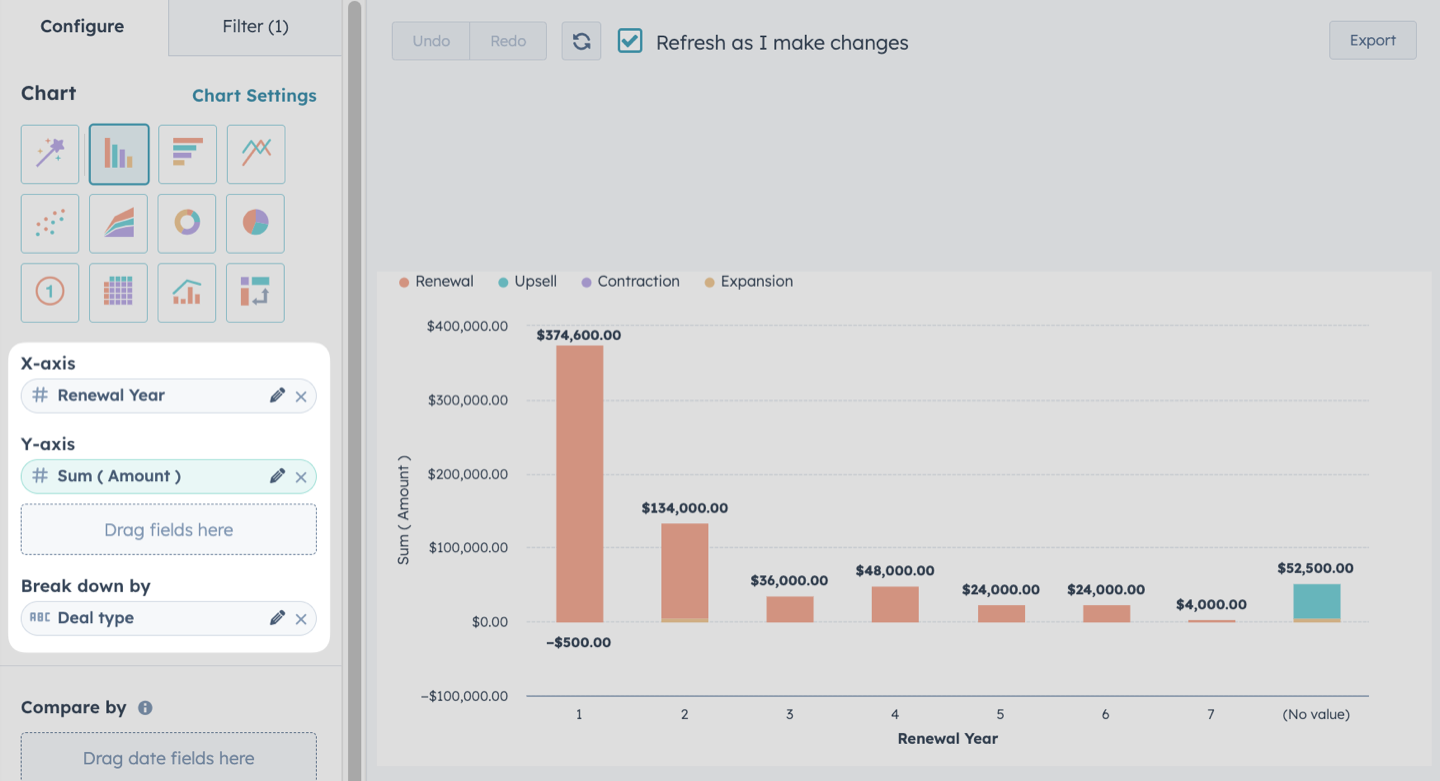
Now that you’ve got your renewal process running in HubSpot, you’ll want to start reporting on your renewal and expansion revenue.
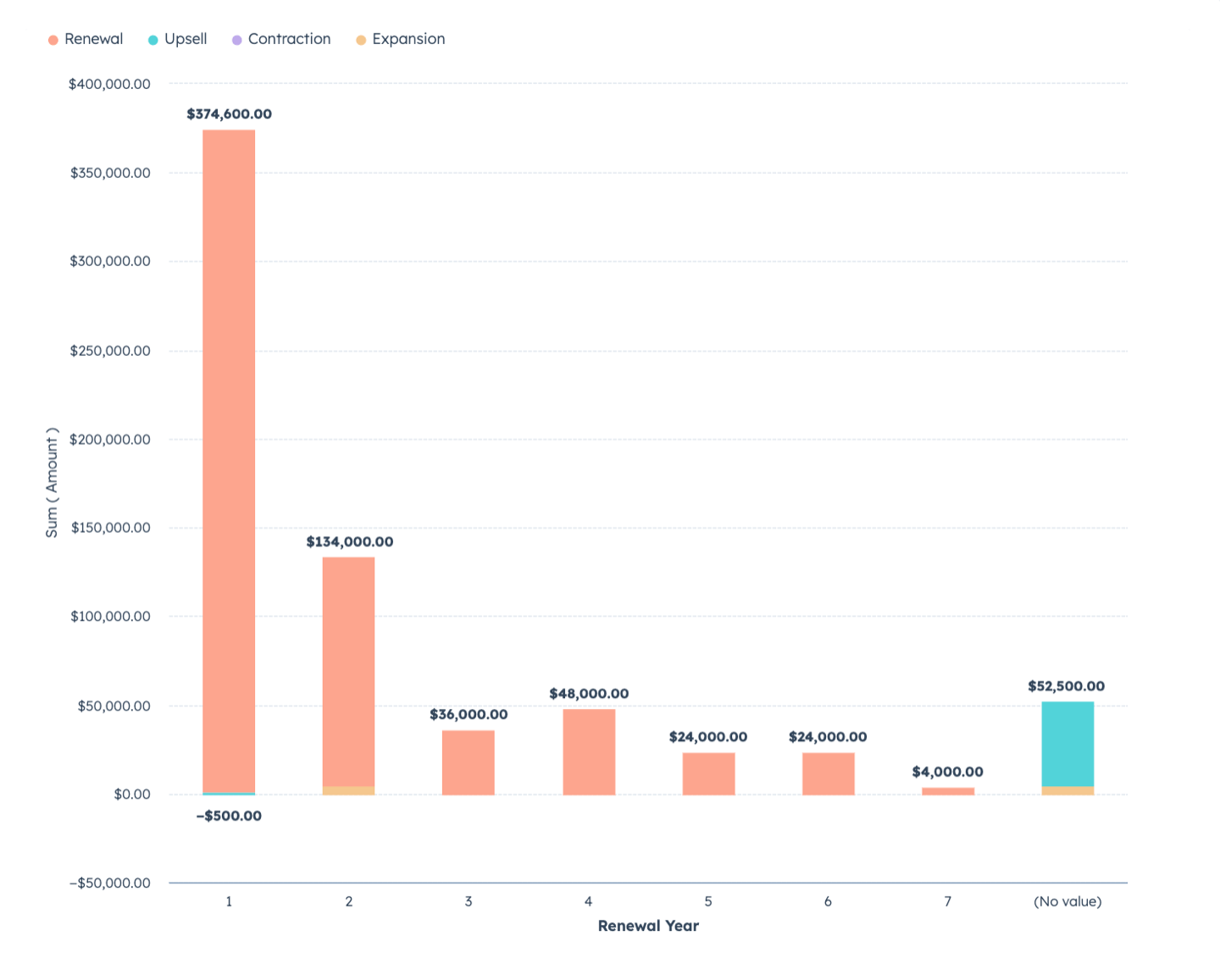
This report will show different revenue types (Renewals, Upsells, Contractions, and Expansions) based on their renewal year.
🌟Note: before you create this report, make sure you’ve set up your HubSpot renewal pipeline and renewal properties.
Here’s how it works:
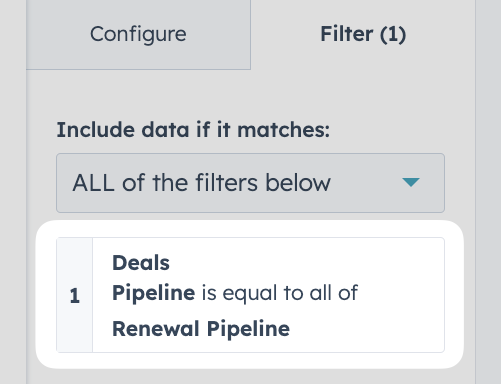
1. Create a custom deal report and filter by pipeline
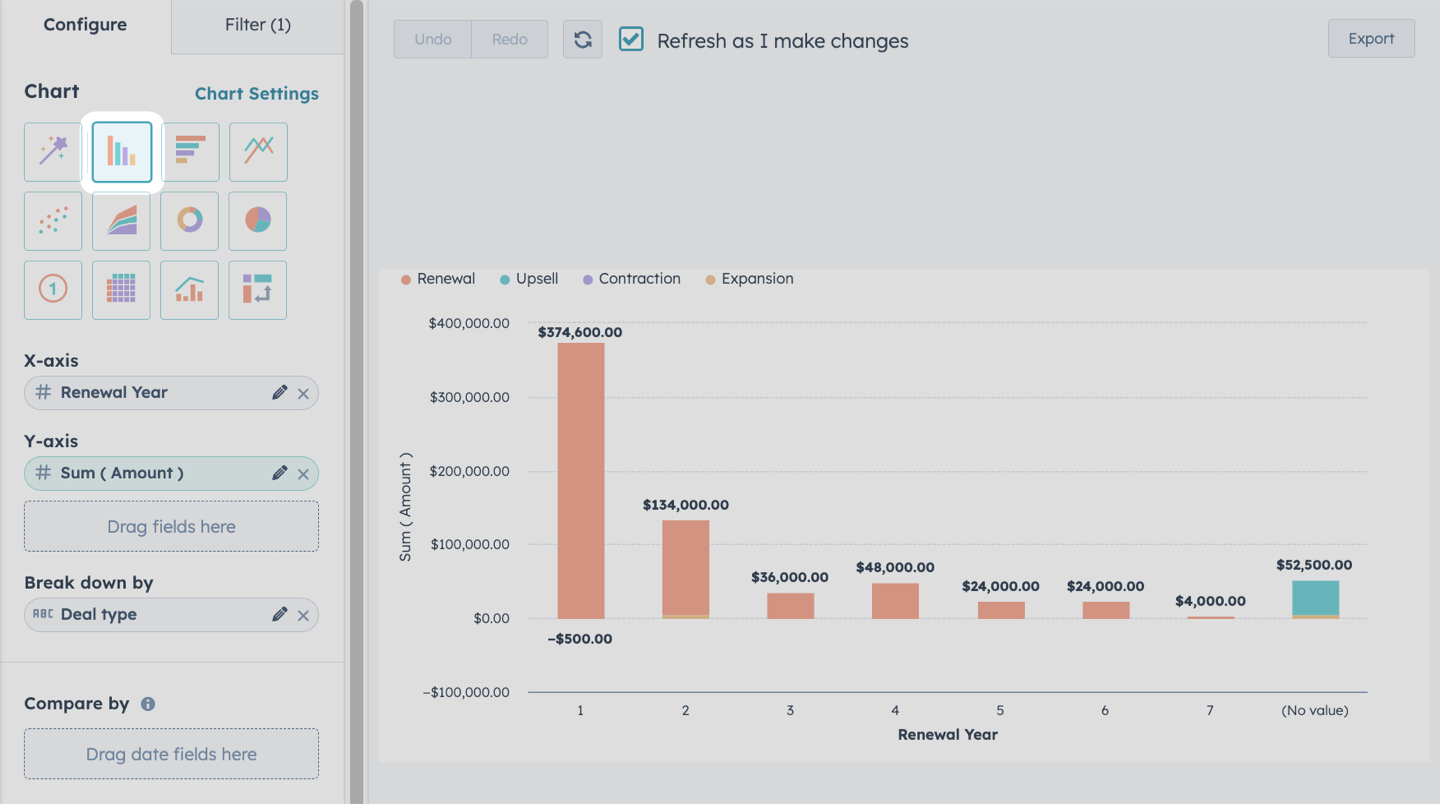
2. Select our visualization type
We’ll use the “Vertical bar” chart type to show the Sum (Amount) of renewal revenue in our pipeline
3. Select our visualization type
- X-axis: Renewal Year
- Y-axis: Sum (Amount)
- Break down by: Deal Type