
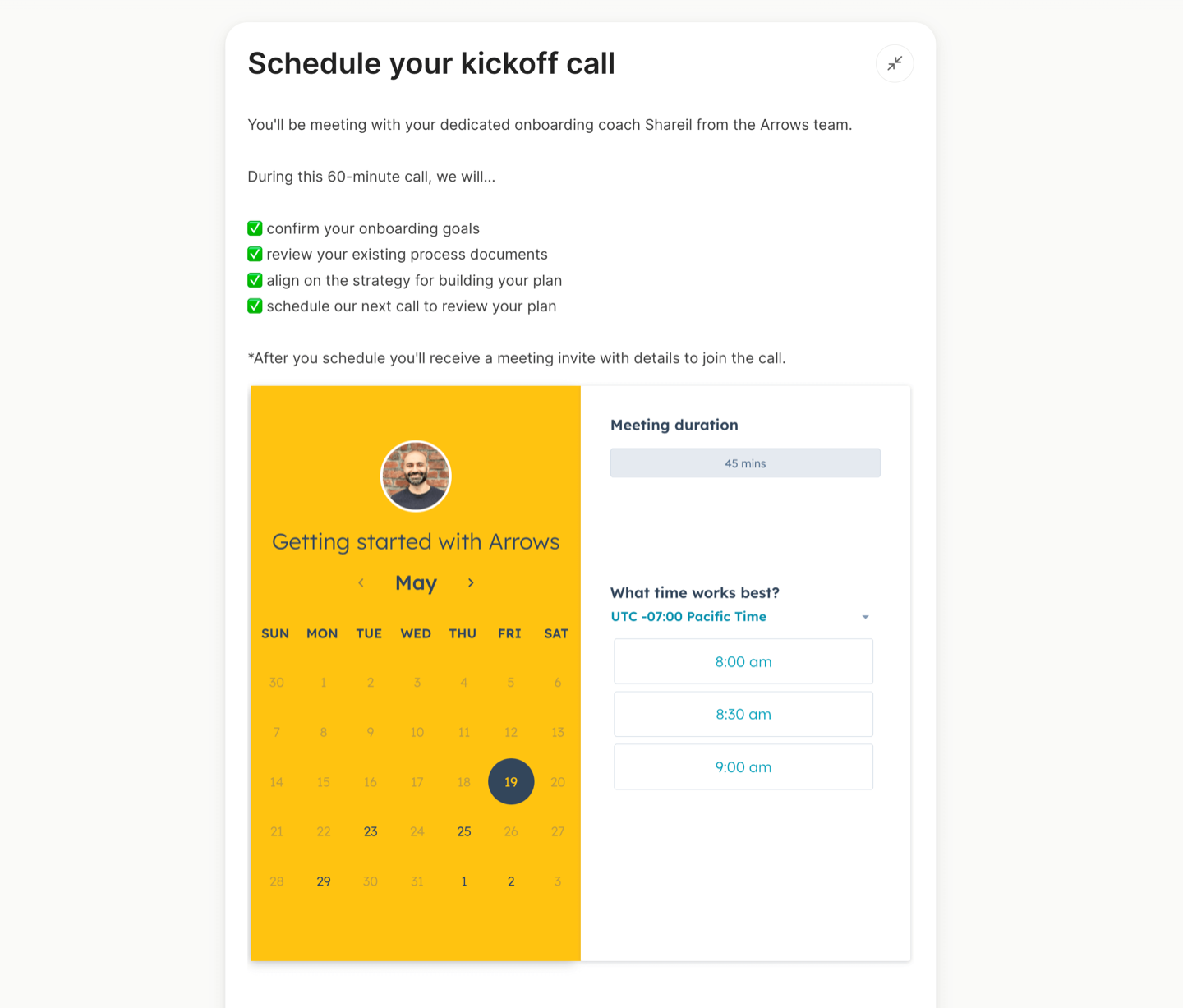
Scheduling a kickoff call with your customers during the very early stages of your onboarding process is crucial. It sets the foundation for a successful and smooth journey ahead.
Make it simple for your customers to get it on the calendar by embedding your meeting link directly into an Arrows task.
PS we’re showing an example below using a HubSpot meeting link, but you can embed many other calendar tools like Calendly, Cal.com, Chili Piper, and more.
Steal this Arrows task setup:
Task type: Meeting
Task title: Schedule your kickoff call
Task description:
You’ll be meeting with your dedicated onboarding coach, Shareil from the Arrows team.
During this 60-minute call, we will…
✅ confirm your onboarding goals
✅ review your existing process documents
✅ align on the strategy for building your plan
✅ schedule our next call to review your plan*After you schedule you’ll receive a meeting invite with details to join the call.
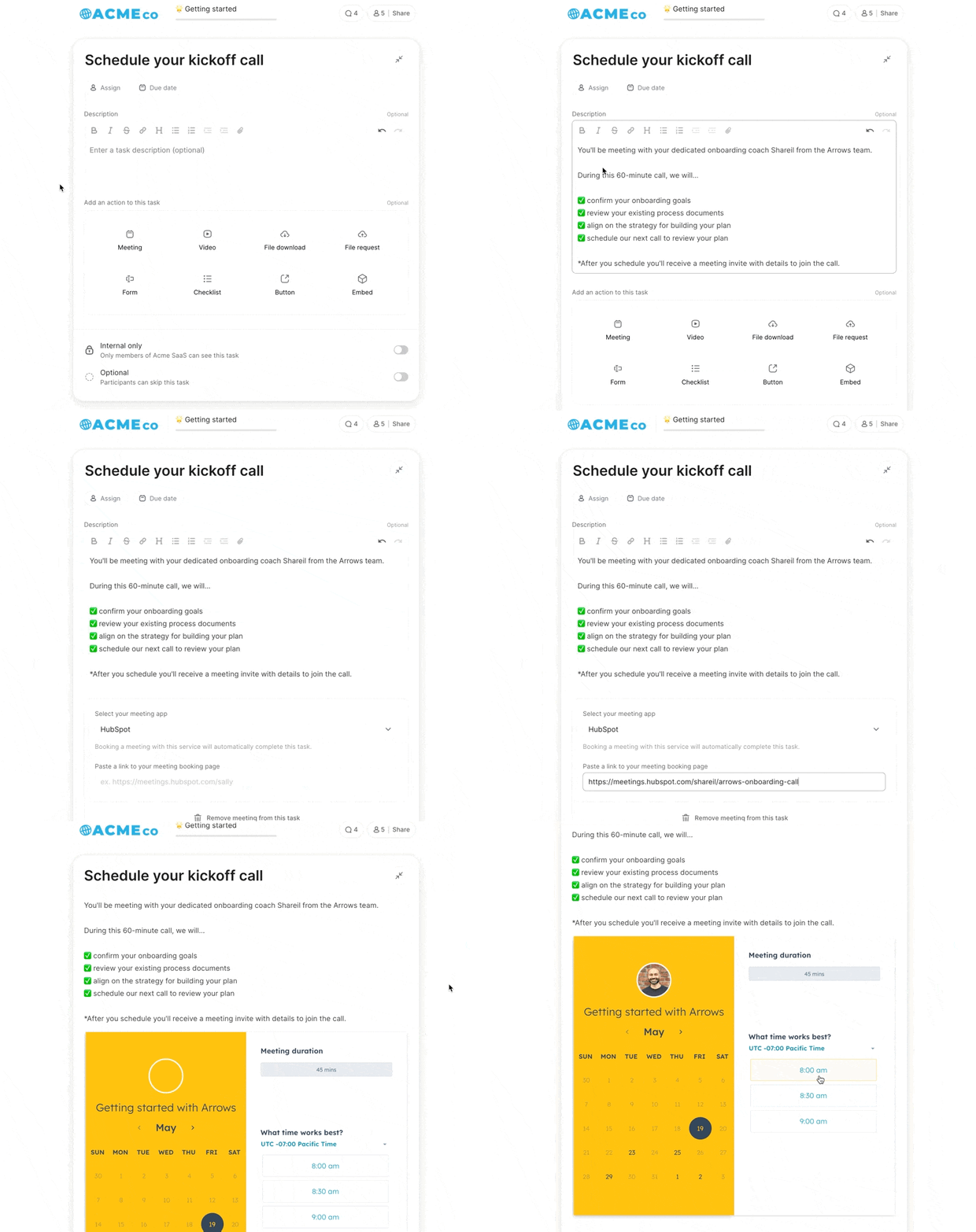
🌟 Bonus tip: Using more than one meeting link in your Arrows plans or have multiple team members that need different meeting links? Steal this HubSpot workflow and Arrows task setup to automatically pull in unique meeting links from HubSpot properties: Automatically populate your HubSpot meeting links in Arrows tasks
