
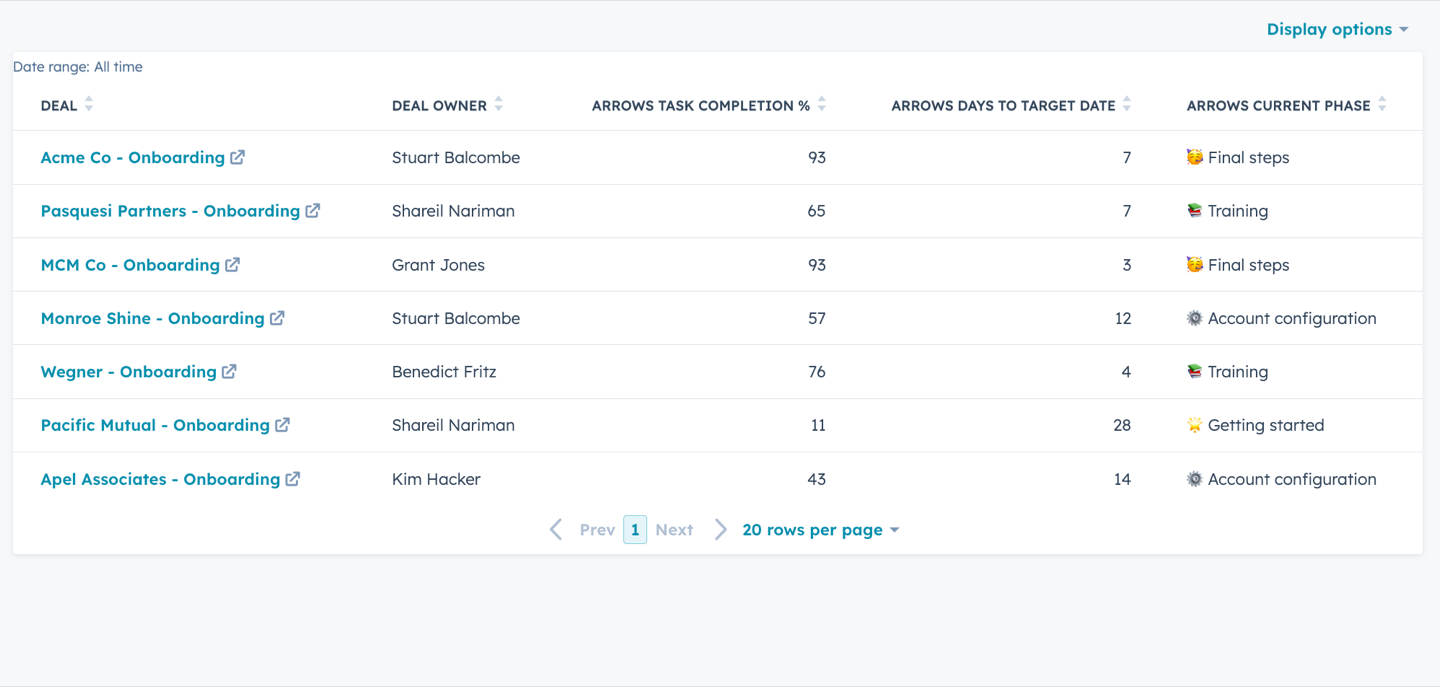
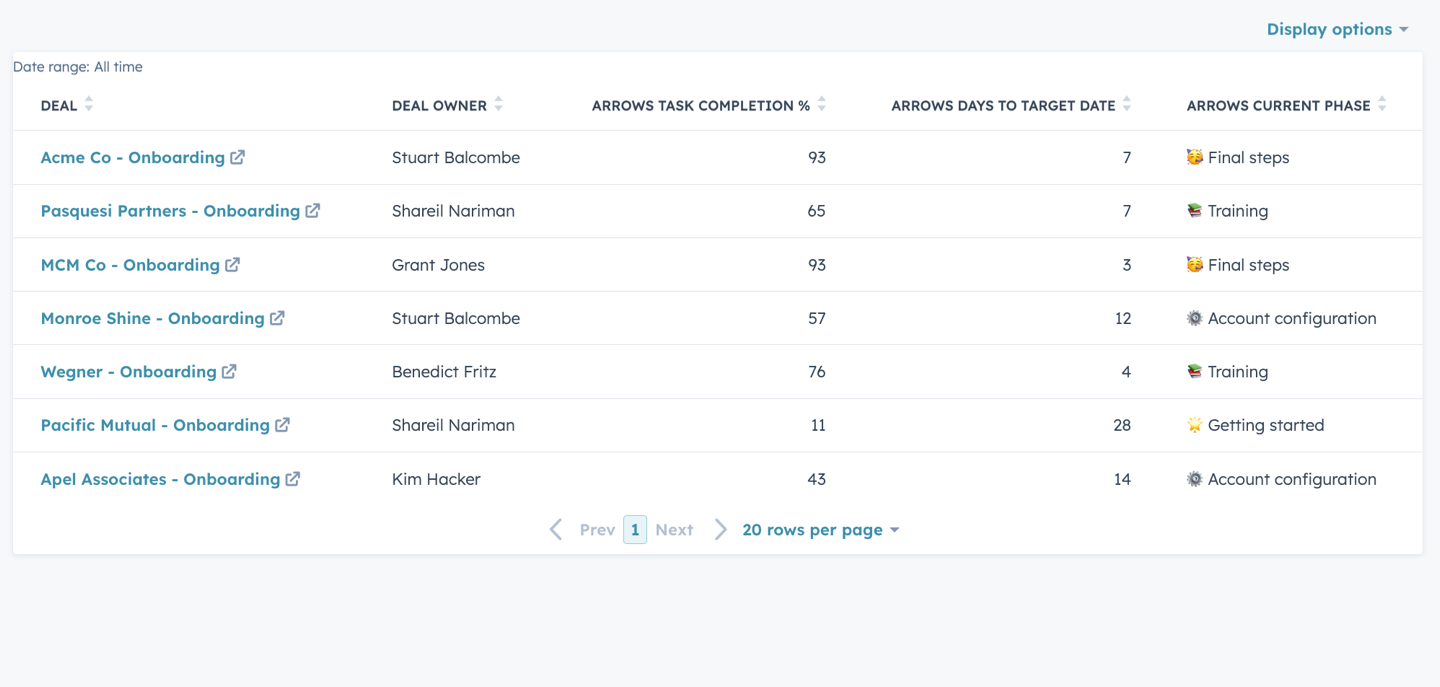
Many onboarding teams have a set timeframe where they’re working to get customers up and running. If you have a longer onboarding process, you may want to keep track of all customers that have target dates that are coming up this month so your team knows who to help over the finish line.
Create this simple report to show a list of all customers with target dates coming up in the next 30 days.
Here’s how it works:
1. Create new HubSpot properties
To receive real-time data from our Arrows onboarding plan we’ll add:
- Arrows Task Completion %
- Arrows Day to Target Date
- Arrows Current Phase
- Arrows Plan Status
2. Set up Arrows data sync
We’ll integrate Arrows to sync data into the properties we just created in HubSpot.
3. Create a new report
From the Reports page, select “Create Report” and select the Single object report type using Deals or Tickets.
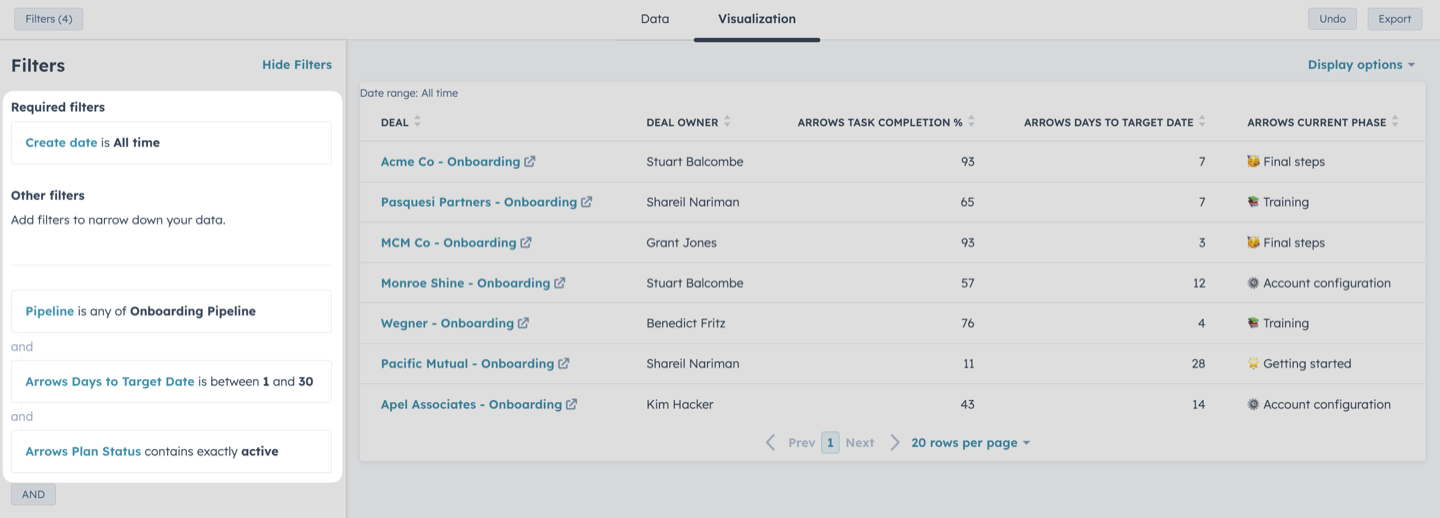
4. Set your filters for the report
In this example, we’ll filter by Create date, Pipeline, Arrows Days to Target Date, and Arrows Plan Status.
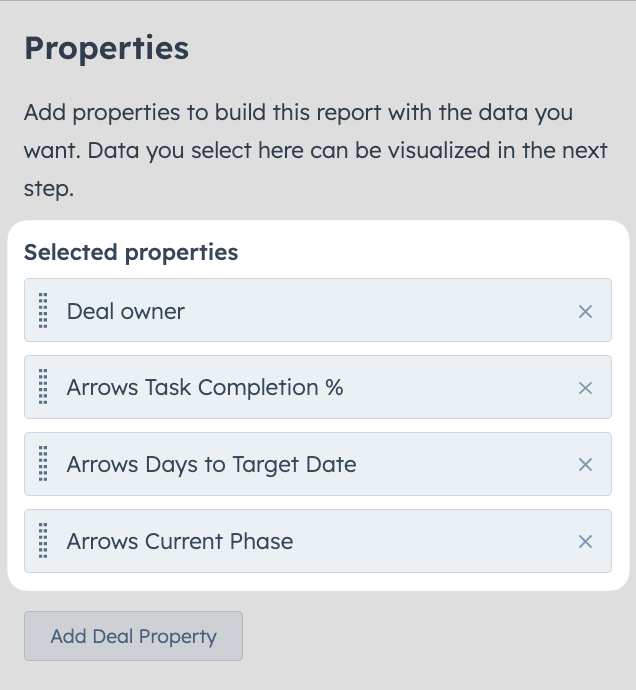
5. Add your data to the report
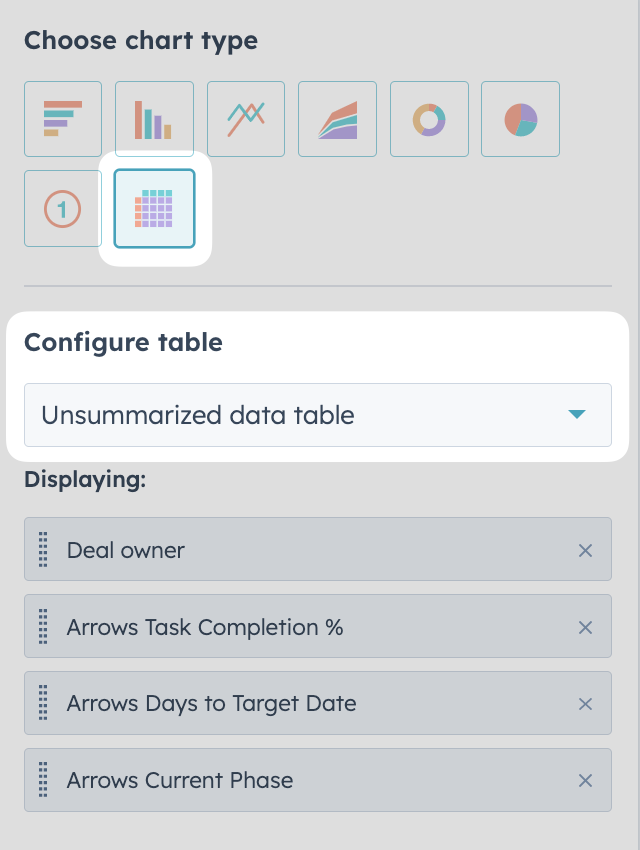
Search and select each of the properties we added plus the Deal owner property to include them in our report.
6. Select your visualization
Select the unsummarized data table visualization type for this report.
7. Save report & add to dashboard
Add your report to a dashboard to improve your team’s visibility.
8. Review your report dashboard
View the finalized report in your HubSpot dashboard and see all customers with upcoming target dates.
Use this report for a daily or weekly standup to understand which customers are set to go live soon, and make sure they’re on track to hit that goal.
